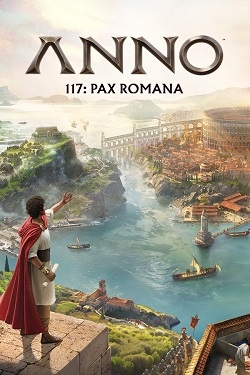
Anno 117: Pax Romana
Updated:
/
417185
 50 GB
50 GB
888 following
888 following · Settings
Release date: 13 nov. 2025
Genre: Simulation, Strategy
Developer: Ubisoft Mainz
Publisher: Ubisoft
Platform: PC
Publication type: RePack
Interface language: Russian, English, MULTi
Voice-over: English, MULT
Crack: Sewn in (DenuvOwO)
System requirements:
OS: Windows 10, 11 (64-bit)
Processor: Intel Core i7-7700
RAM: 16 GB RAM
Video card: Nvidia GTX 1660
Disk space: 117 GB
Genre: Simulation, Strategy
Developer: Ubisoft Mainz
Publisher: Ubisoft
Platform: PC
Publication type: RePack
Interface language: Russian, English, MULTi
Voice-over: English, MULT
Crack: Sewn in (DenuvOwO)
System requirements:
OS: Windows 10, 11 (64-bit)
Processor: Intel Core i7-7700
RAM: 16 GB RAM
Video card: Nvidia GTX 1660
Disk space: 117 GB
Steam Reviews: Mixed (69% of 12,997)
Anno 117: Pax Romana How about discovering the flourishing era of the once-great Roman Empire? Simply put, this is a captivating strategy game that challenges you to assume the role of the architect of the world, managing your city and economy, and creating various monuments in honor of an entire empire. And of course, the latter is at the height of its power!
Game Review
At the very beginning, you will be the governor of one of Rome's many provincial towns. The events unfold in 117 AD, at the height of stability. Your task will be to build a flourishing metropolis that will symbolize Rome's greatness. Arenas, theaters, aqueducts, baths, and much more await you. Furthermore, attract a diverse citizenry and carefully adjust the infrastructure to meet all needs.
It's certainly worth noting that the core gameplay will be economic strategy and management elements. So, focus on establishing trade routes, optimizing resource production, and making your population self-sufficient. Additionally, don't forget about developing technologies, improving agriculture to ensure a stable food supply, and trading with other provinces. But that's just the beginning!


Repack features:
- Based on the Steam release
- Nothing cut / nothing re-encoded
- Game version: 1.4.1 (Build 22067006)
- Change the language in the game settings
- Installation time ~ 5 minutes (depends on your PC)
Extras:
Starting the game:
Why might the game not launch?
Extras:
 40 GB
40 GB 34 GB
34 GB 1.6 GB
 1.2 GB
 6.7 GB
 640 MB
 1.8 GB
 Call of Duty: Modern Warfare 4788comments this week
 Uncharted The Nathan Drake Collection288comments this week
 Bloodborne211comments this week
 Valor Mortis197comments this week
 God of War 3 (III) Remastered190comments this week
 inFamous: Second Son137comments this week
 Clive Barker's Hellraiser: Revival133comments this week
 Gears of War: E-Day77comments this week
 EA Sports UFC 373comments this week
 Killzone: Shadow Fall67comments this week
Game Review
At the very beginning, you will be the governor of one of Rome's many provincial towns. The events unfold in 117 AD, at the height of stability. Your task will be to build a flourishing metropolis that will symbolize Rome's greatness. Arenas, theaters, aqueducts, baths, and much more await you. Furthermore, attract a diverse citizenry and carefully adjust the infrastructure to meet all needs.
It's certainly worth noting that the core gameplay will be economic strategy and management elements. So, focus on establishing trade routes, optimizing resource production, and making your population self-sufficient. Additionally, don't forget about developing technologies, improving agriculture to ensure a stable food supply, and trading with other provinces. But that's just the beginning!
Features of the game
- Combination of politics and diplomacy
- Maintaining reputation and stability
- Maximum historical accuracy
- Solo or co-op play
We recommend:
80 %
84 %
67 %

77 %


87 %
Trailer / Gameplay:
Screenshots:


How to start playing
There is no crack yet - you can wait for it or buy license activation

Size: 49.81 GB | RePack by Igruha
Repack features:
- Based on the Steam release
- Nothing cut / nothing re-encoded
- Game version: 1.4.1 (Build 22067006)
- Change the language in the game settings
- Installation time ~ 5 minutes (depends on your PC)
Extras:
Starting the game:
Why might the game not launch?
Size: 130.94 GB (Build 24988830) | Portable
Starting the game:Extras:
Steam Tags
40 GB34 GB1.6 GB1.2 GB6.7 GB 640 MB1.8 GB
Similar games:


Trending in commentsthis week
Call of Duty: Modern Warfare 4788comments this week
Uncharted The Nathan Drake Collection288comments this week
Bloodborne211comments this week
Valor Mortis197comments this week
God of War 3 (III) Remastered190comments this week
inFamous: Second Son137comments this week
Clive Barker's Hellraiser: Revival133comments this week
Gears of War: E-Day77comments this week
EA Sports UFC 373comments this week
Killzone: Shadow Fall67comments this week
Comments: 150To the latestp. 10
Information
Comments on this game are for VIP and Regular members only.
Our picks

Popular games